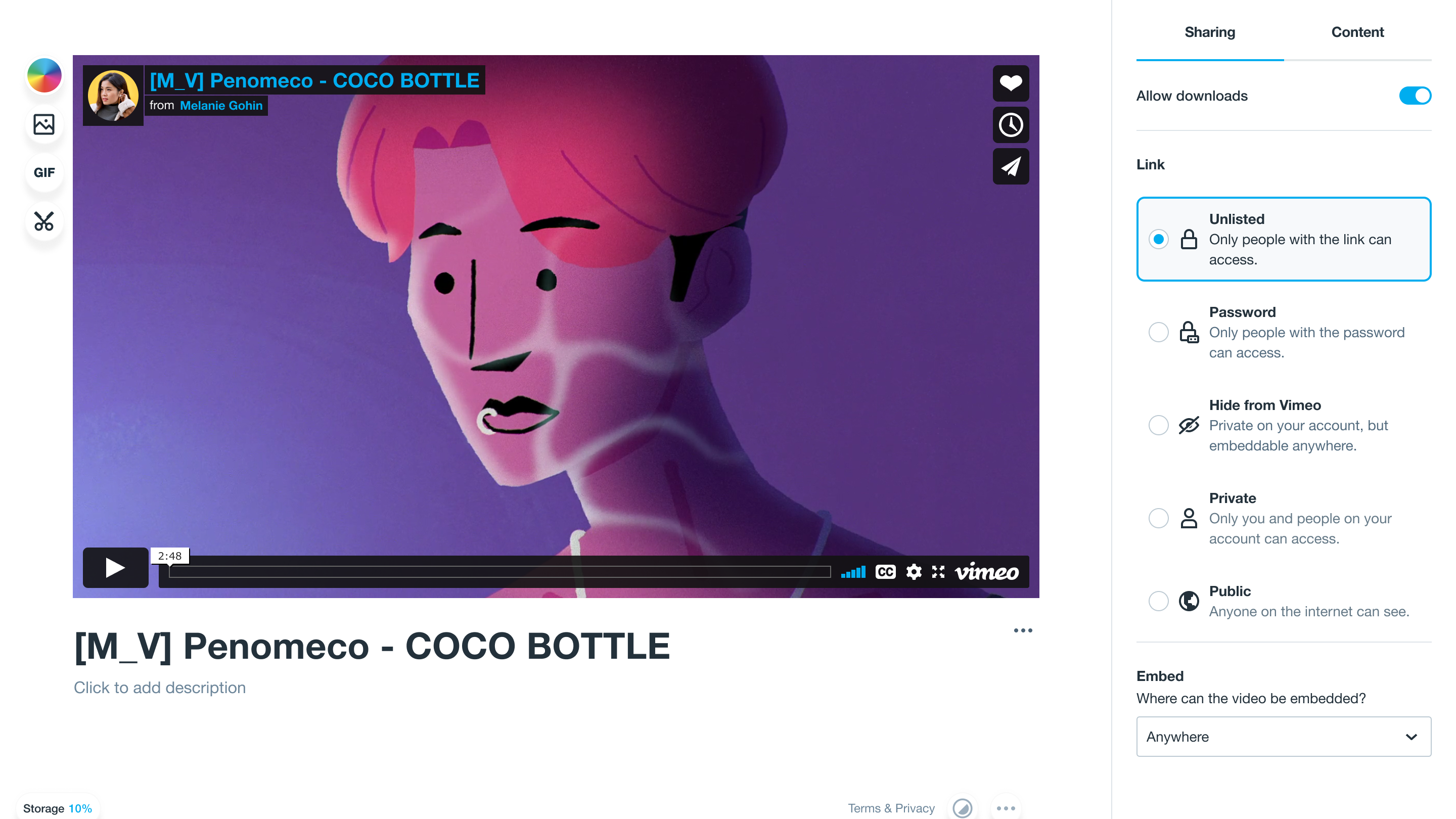
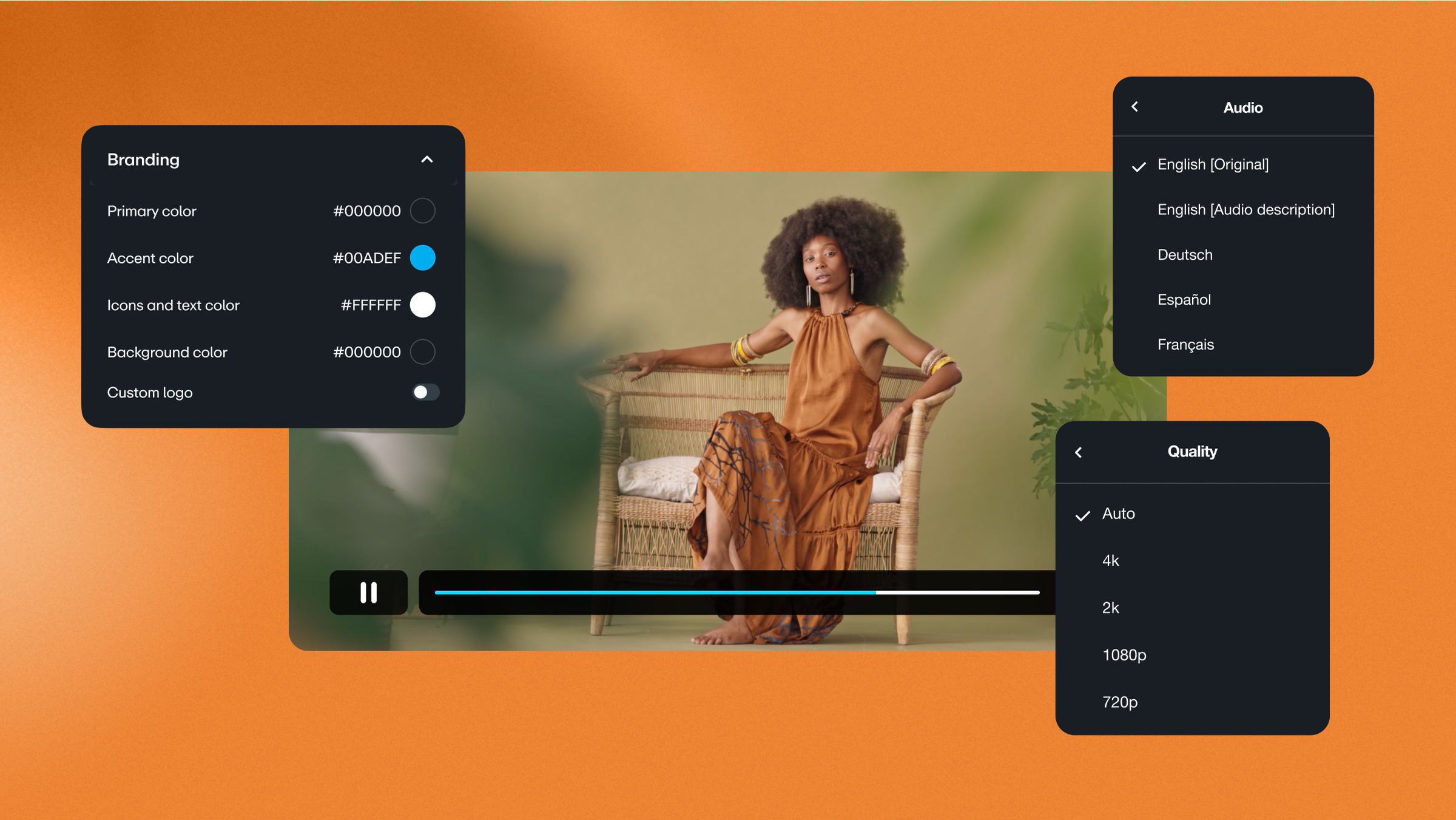
Sharing a video should be simple and safe. Secure video sharing tools let you control access and keep content from spreading beyond the places and people it's made for. These solutions offer security controls like encrypted video sharing, password protection, private links, and playback activity records.
In this article, we’ll explore the most important security features and look at some common use cases for private video hosting. Then we’ll introduce five top platforms to consider.
Why should you choose a private video hosting solution?
Private video hosting gives you a controlled way to share content and track viewer activity. While no amount of security can stop bad actors completely, secure hosting raises your defenses by requiring the right access and removing pathways that make sharing effortless.
Hosting platforms vary, but they’ll often let you turn on password protection and set up domain restrictions. These and similar options help you keep playback limited to your intended audience.
While that might not matter if you create fully public videos, it’s essential for private videos. Whether your content is made for internal use, to share with clients, or for a paying subscriber base, you need a way to control sharing and access.
Upload private videos to Vimeo securely →
When is private video hosting important?
Let’s dig deeper into the common use cases for secure video sharing.
Internal training and communication
Many teams use private video hosting to centralize training content and limit viewing to employees or approved partners. If you manage video access through a single secure platform, you can update the source files whenever you need to. This cuts down on the version control issues that arise when you have to distribute files regularly via email.
In addition, leadership updates and company-wide messages often include sensitive information. Secure video hosting lets you publish internal communications without treating every video like a public announcement.
Customer onboarding and support
Private video works well for customer-facing onboarding libraries and support resources. You can share videos with customers who own a certain product or pay for a particular service tier, making them easy for the right people to use but difficult for others to view.
Education and student training
Schools and instructors use private hosting to share course videos with enrolled students, while keeping the content out of public search results and cutting down on accidental sharing. Centralized hosting also offers a cleaner solution than emailing files back and forth.
Healthcare and patient education
Clinics and hospitals can use password-protected video hosting for patient education videos and other situations where the goal is controlled viewing, not public distribution. You can share content while keeping access tight, which is essential when videos contain sensitive medical details or information that could be easily misinterpreted by the wrong audience.
5 secure video sharing platforms
Here are five of the best video-sharing platforms — we’ll look at features, pros, cons, pricing, and storage limits, so you can quickly compare and find the right fit.
1. Vimeo
Vimeo is a great choice when you need private video hosting with controls that scale beyond a simple link-sharing workflow. With Vimeo’s privacy settings, you get to control who watches videos, where your content is embedded, and whether playback is restricted to certain regions, sites, or viewers.
For teams with stricter requirements, Vimeo Enterprise adds more advanced security and admin tooling that supports high-stakes data protection and compliance-driven workflows.
Pricing: Paid plans start at $12/month, with custom enterprise pricing
Storage: Starter plan includes 2 TB total storage and a 2 TB/month bandwidth threshold; higher tiers offer more storage
Pros:
- Safe sharing features like password protection, domain restrictions for embeds, and privacy modes for controlled playback
- Secure, high-performance hosting
- Sharing and security options built into a complete video management system
Cons:
- Advanced security and compliance tooling requires an Enterprise plan
Get peace of mind with secure Vimeo hosting and sharing →
2. Gumlet
Gumlet is a hosting-first option that focuses on streamlined delivery and usage-based planning. This solution is worth a look if you want to get private hosting for internal storage and playback, and avoid the complexity of a more marketing-focused video platform.
Pricing: Paid plans start at $15/month
Storage: Creator tier includes two seats, 4,000 storage minutes, and 2,000 GB streaming/month
Pros:
- Security features like password locks and time-sensitive tokens
- Built around playback efficiency
- High monthly bandwidth allowances
Cons:
- Minutes-based storage is less intuitive to work with
- Playback spikes can have a big impact on usage planning and costs
3. SproutVideo
SproutVideo offers video hosting with tight access controls. This platform supports private uploads, password-protected sharing, login-based access, and watermarks, plus account-level security features like two-factor authentication and audit logs.
Pricing: Paid plans start at $10/month
Storage: Seed plan includes 100 GB storage and bandwidth
Pros:
- Private uploads plus password protection for secure sharing
- Login protection and watermarks for controlled access
- User-friendly setup and interface
Cons:
- Lower tiers are restrictive for businesses and prolific creators
- Extra usage and add-ons can raise costs quickly
4. Vidyard
Vidyard is most often used for sales workflows where teams share videos during deals and track engagement. If your private videos play a role in prospecting or customer follow-ups, Vidyard is worth a look.
Pricing: Paid plans start at $59/seat/month, with custom enterprise pricing and add-ons
Storage: All paid tiers offer unlimited storage
Pros:
- Built for sales sharing and engagement tracking
- Password-protected videos and customizable analytics
- AI tools for efficiently sharing and managing videos
Cons:
- Not ideal for more traditional marketing and creative use cases
- Reliance on AI can introduce new security concerns
5. YouTube
YouTube is a free hosting service that focuses on public videos but can also support low-stakes private sharing. The controls are simpler than you’d get with other platforms, but this option works well if most of your videos are public and your private videos don’t contain sensitive information.
Pricing: Free, with additional premium and partnership options
Storage: Private videos can be shared with up to 50 email addresses, and invitees must be signed in to Google or YouTube accounts. Unlisted videos can be viewed and re-shared by anyone with the links.
Pros:
- Free and familiar playback experience
- Quick sharing that supports simple use cases
- Basic domain restrictions and privacy mode for embeds
Cons:
- Private sharing is invite-based and requires sign-in, which adds friction
- Other video management options are limited, plus ads and recommendations distract from your content
How to choose a secure video sharing tool for your business
When picking a tool for your private videos, look for:
- Access controls: Features like password protection, viewer login, and link expiration help you control who can view or alter content.
- Encrypted video sharing: This keeps videos protected in transit and during playback.
- Viewer action restrictions: Download controls and signed embeds can deter casual sharing.
- Embed and playback controls: These tools often focus on domain restriction, so your videos only work in the right places.
- Secure video streaming: Live streaming adds an extra layer of complexity, and you’ll need specific tools to keep your streams private.
- Activity tracking: Video analytics or activity logs help you spot unusual behavior and confirm engagement.
FAQ
How can I send a large video file privately?
To send a large video file privately, you need a secure hosting and sharing platform. Look for a tool that offers protections like access and embed controls, and make sure it supports the file formats and sizes you work with.
What’s the most secure video sharing platform?
Vimeo is a video platform that offers secure hosting and sharing. You can control your content with tools like password protection, domain restrictions, advanced encryption, and privacy modes.
How can I view private videos?
How you can view a private video depends on where it’s hosted and how it’s shared. You may need a special link or have to log into an account. Some videos also restrict access in specific regions or on certain types of domains.
Is Vimeo or YouTube better for private videos?
YouTube is primarily a public platform, so while it supports private videos, it doesn’t offer much control or customization. In contrast, Vimeo offers a full suite of secure video sharing tools, which you can customize to suit your goals and audience.
Secure your videos and sensitive information with Vimeo
A private and secure platform gives you maximum control over your video content, even after you release it into the world. You can keep playback limited to the right audience, reduce casual re-sharing, get more accurate viewer metrics, and protect sensitive or proprietary details.
Vimeo lets you share videos using password protection and private links, and you decide where embeds work with custom restrictions and domain-level privacy. Plus, with Vimeo you can integrate all these advanced tools into your larger content workflows, because you get video creating, editing, hosting, and sharing in a single package.